
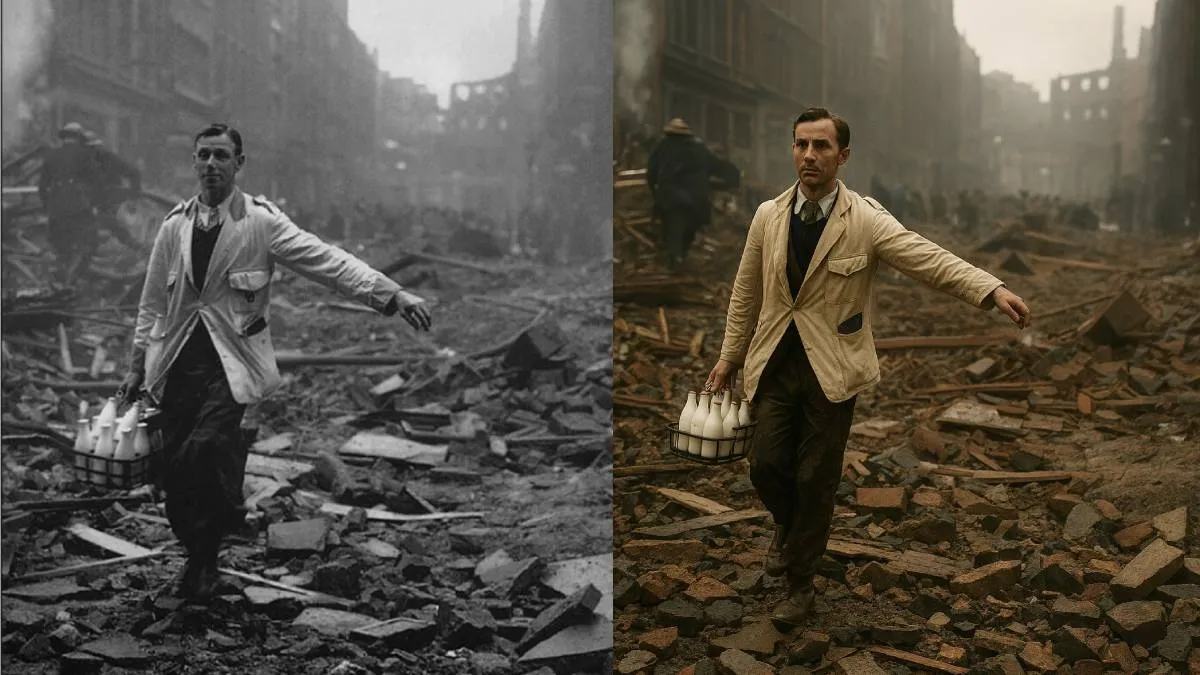
In today's world, when we capture a photo, it bursts with colour. However, if we rewind to the times of our fathers or grandfathers, the scene was very different. Back then, most photographs were in black and white. If you happen to have old wedding photos of your grandfather or father, today's news might pique your interest. You can bring those decades-old black and white images back to life with vibrant colors. OpenAI's ChatGPT can assist you in this task. With ChatGPT, transforming black and white photos into colourful images is a breeze and takes just seconds. This exciting feature is currently going viral, with users enthusiastically giving their vintage family photos a fresh look. If you have such cherished photos, let’s walk you through the simple process of adding colour to them.
- First, head over to ChatGPT's website or mobile app and ensure you’re using the latest version for the best experience.
- Next, upload your black and white photo by tapping the plus icon.
- To turn your photo into a colorful masterpiece, provide a prompt to ChatGPT. You might say something like, "Please convert this black and white image into a naturally colored one that resembles a real photograph."
- In just a few moments, ChatGPT will process your request and bring your black and white photo into full color.
- Once it’s ready, you can download the newly colored image and save it to your device.
ChatGPT's Ghibli feature has also caused quite a stir online. When this photo style was launched, animated images began flooding social media. People from all walks of life, including celebrities, joined the Ghibli Trend, and the excitement was so overwhelming that CEO Sam Altman had to remind users to be patient, as his team couldn’t keep up with the demand. ChatGPT's Ghibli Trend has truly provided a unique experience for millions of users.
ALSO READ: 'Ton' in AC doesn't refer to weight: Here's what it means
